General information
The ICT offers the departments and institutes at MU Leoben the opportunity to use software free of charge under existing campus contracts or to order software at academic rates…
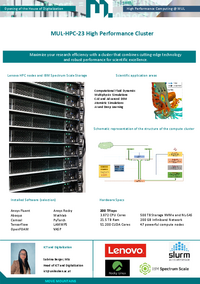
Opening of the House of Digitalization High Performance Computing @ MUL MUL-HPC-23 High Performance Cluster Maximize your research efficiency with a cluster that combines cutting-edge technology…
Disabling TCP/IPv6
Under certain circumstances, the following issues may occur when using the Cisco VPN Client: When the VPN Client is connected, the university’s internal websites (e.g.,…
Deleting WLAN profiles on Android
Open Settings and select the Wi-Fi menu item. Then press and hold the “eduroam” network, and the “Remove network” option will appear. Alternatively, you can open…
Deleting WLAN profiles on iOS
Open Settings and select the Wi-Fi menu item. Then tap the info icon next to the “eduroam” network. There you will find the “Forget this network” option (Figure…
Delete WLAN profiles on macOS
Click the Wi-Fi icon in the menu bar at the top of the screen and select “Open System Preferences > Network”. Then click “Advanced” and select the “eduroam”…
Deleting WLAN profiles in Windows
Click the Wi-Fi icon in the taskbar at the bottom right of the screen, right-click the “eduroam” network, and then select “Don’t save” (Figure 1).
* Please…
Setting up eduroam on Android + Linux
Open your Wi-Fi settings and select the “eduroam” network (Figure 1).
Enter the following information: your login credentials (MUonline username) +…
Proxy configuration
(1) Open your browser, click on the menu in the top right corner and open the settings.
(2) In the General section, scroll down to the Connection Settings and click on…