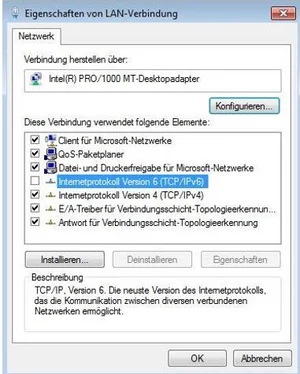
Under certain circumstances, the following issues may occur when using the Cisco VPN Client: When the VPN Client is connected, the university’s internal websites (e.g., unileoben.ac.at or MUonline) are accessible, but external sites (e.g., orf.at, google.at) are not. Disabling the Internet Protocol Version 6 (TCP/IPv6) interface may resolve this issue.
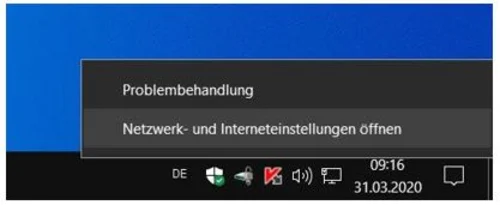
- Right-click on the Internet icon on the right side of the taskbar to open “Network and Internet Settings”.
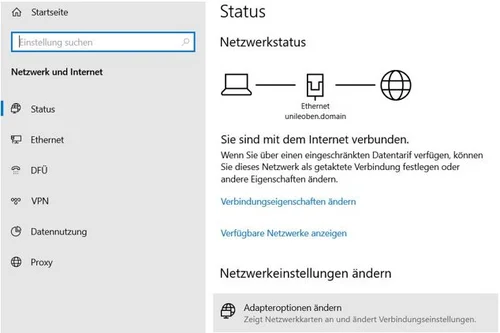
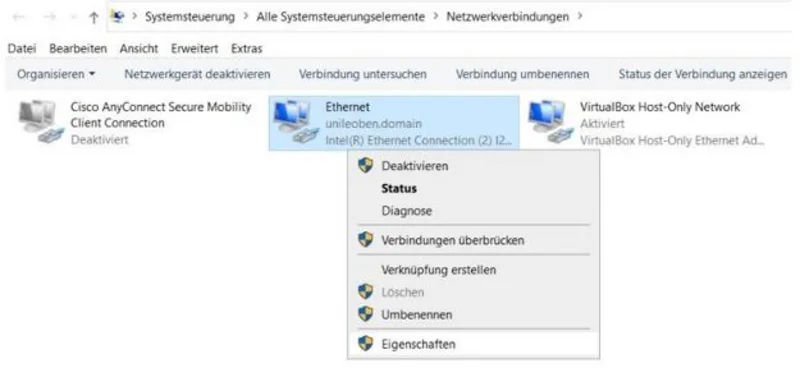
- Select the adapter you are using to connect to the internet (in this case, LAN/Ethernet) and right-click to open the adapter’s ‘Properties’.