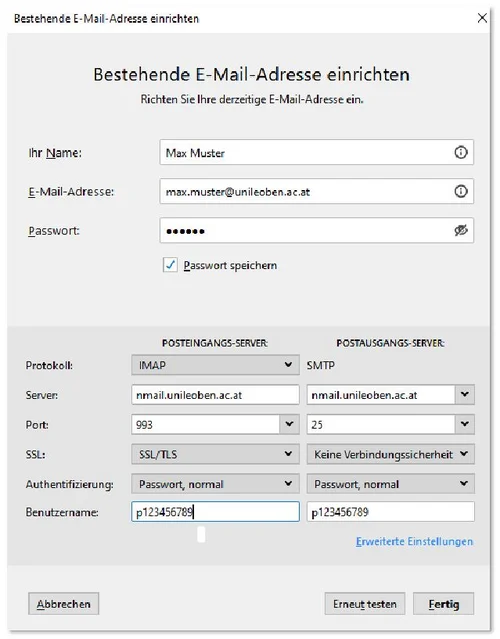
When you first launch Mozilla Thunderbird, click on ‘Manual setup…’ and fill in the fields as shown in the image below. For users who already use Thunderbird for other email accounts, simply click on the menu, then select ‘New’ and ‘Existing email address’.
Username: MUonline - Username
Password: Notes Internet password
In the next step, enter the remaining details and confirm your entries by
clicking on “Done”.
If you want to synchronise several folders from IBM Notes, click on the menu in Thunderbird. Then select ‘File’ and then ‘Subscribe’. In this menu, you can select the folders you want