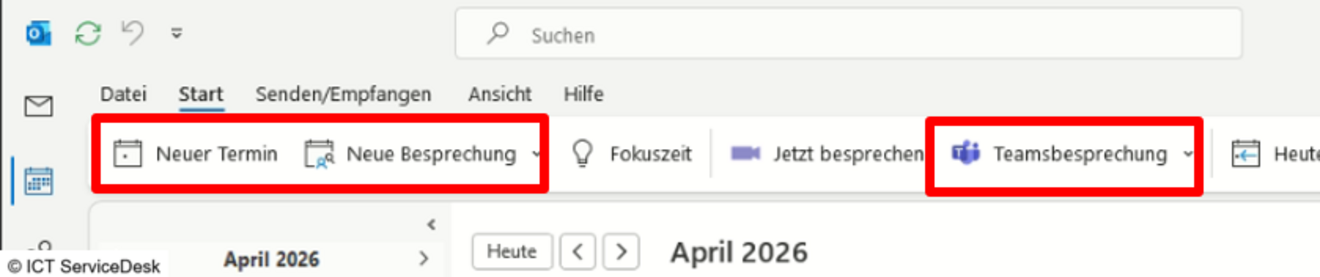
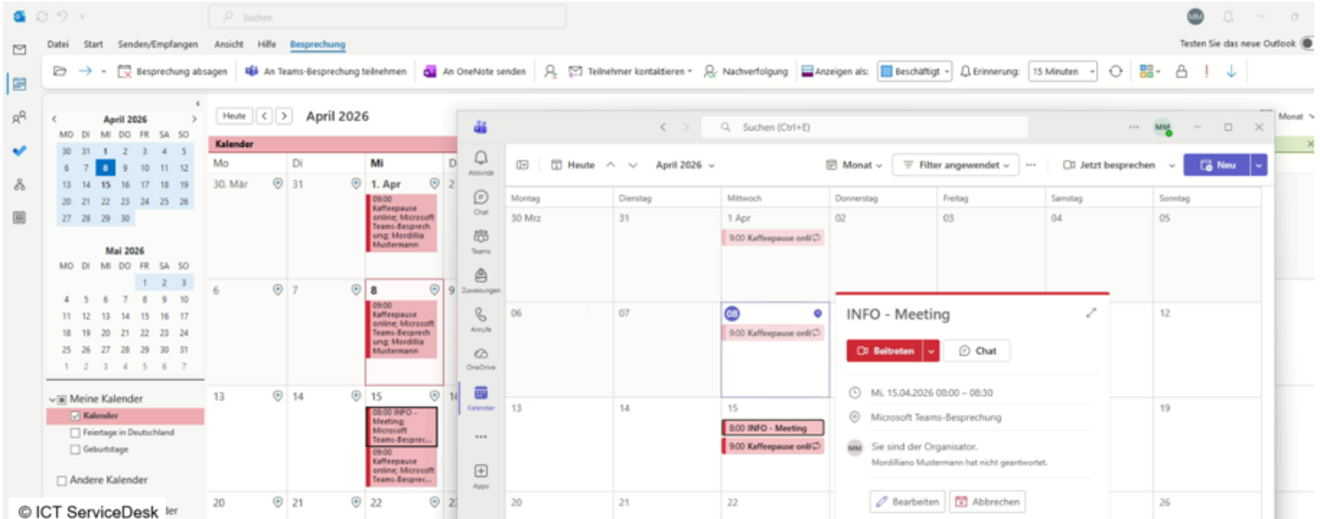
If you create a Teams meeting in Outlook, it will also appear in the MS Teams calendar. Note, however, that MS Teams must be installed first, otherwise the options will not appear in Outlook.
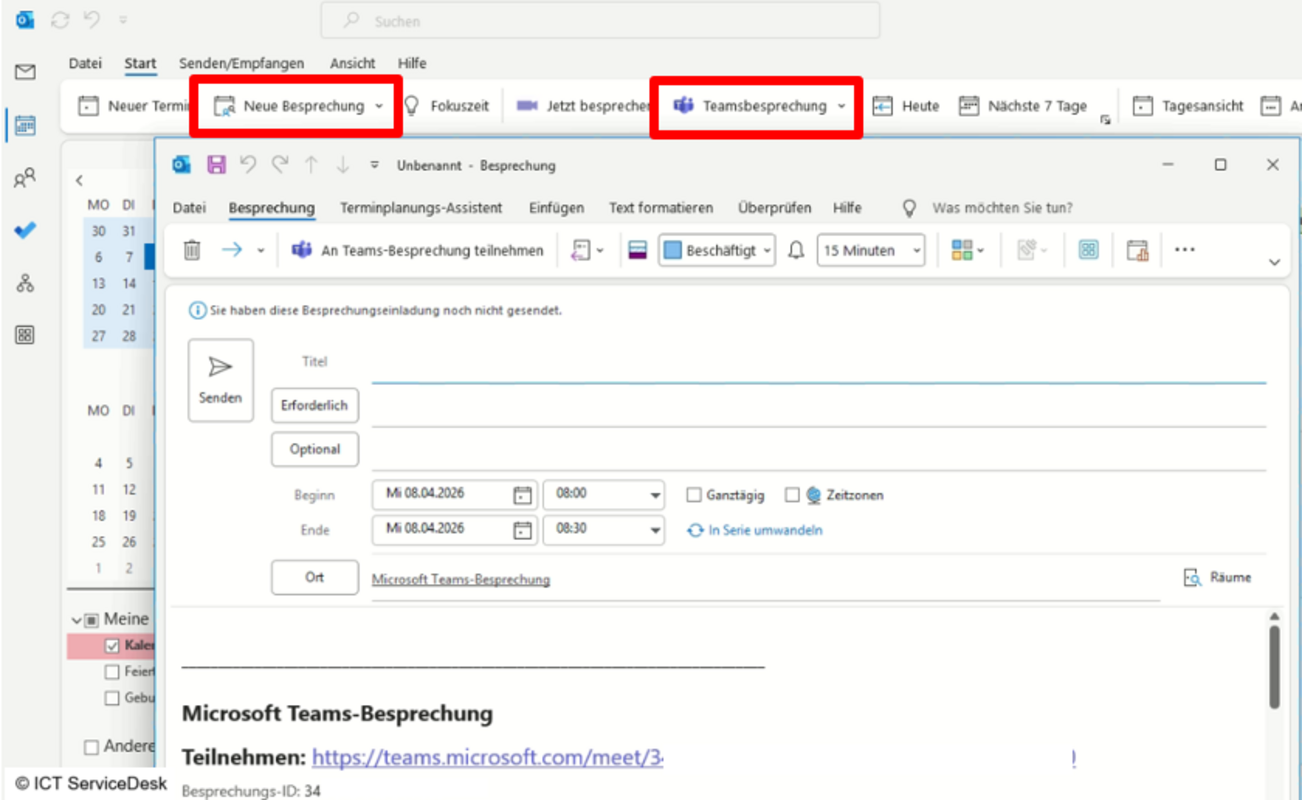
- Open the Outlook calendar and create either an appointment, a meeting, or a Teams meeting directly, there are several options.
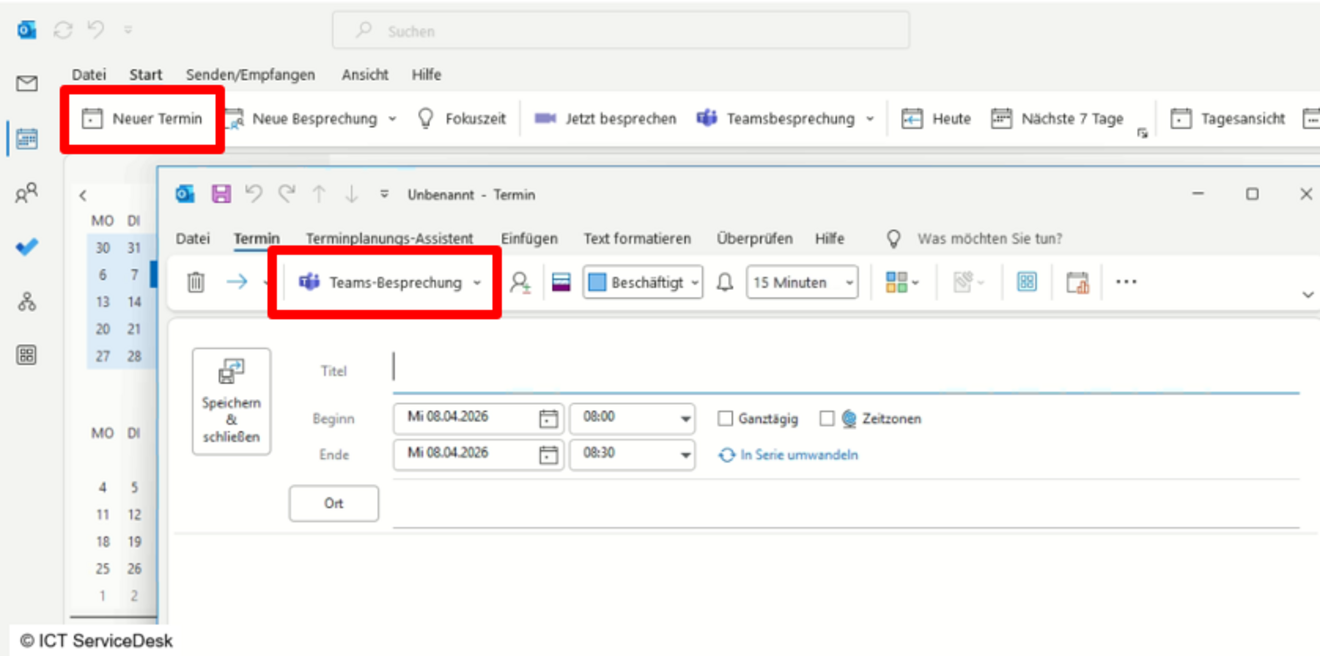
- When you click New Appointment, this screen appears. There, you need to click Teams Meeting so that the appointment can be converted into a Teams meeting and will also appear in Microsoft Teams.
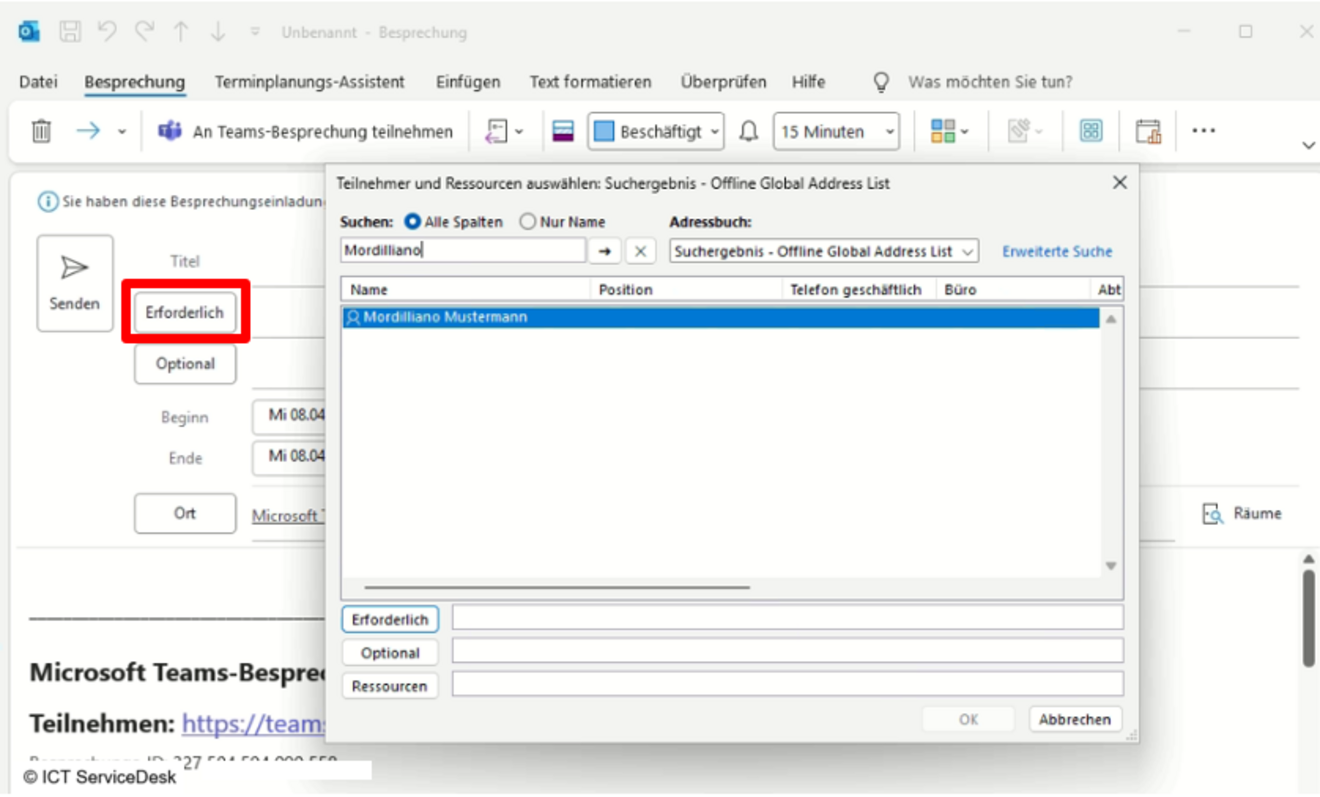
- When you click Send, the meeting will be sent out and appear in your calendar.
- Download Microsoft Teams from the official website, run MSTeamsSetup.exe, and install it.
Download: Microsoft Teams
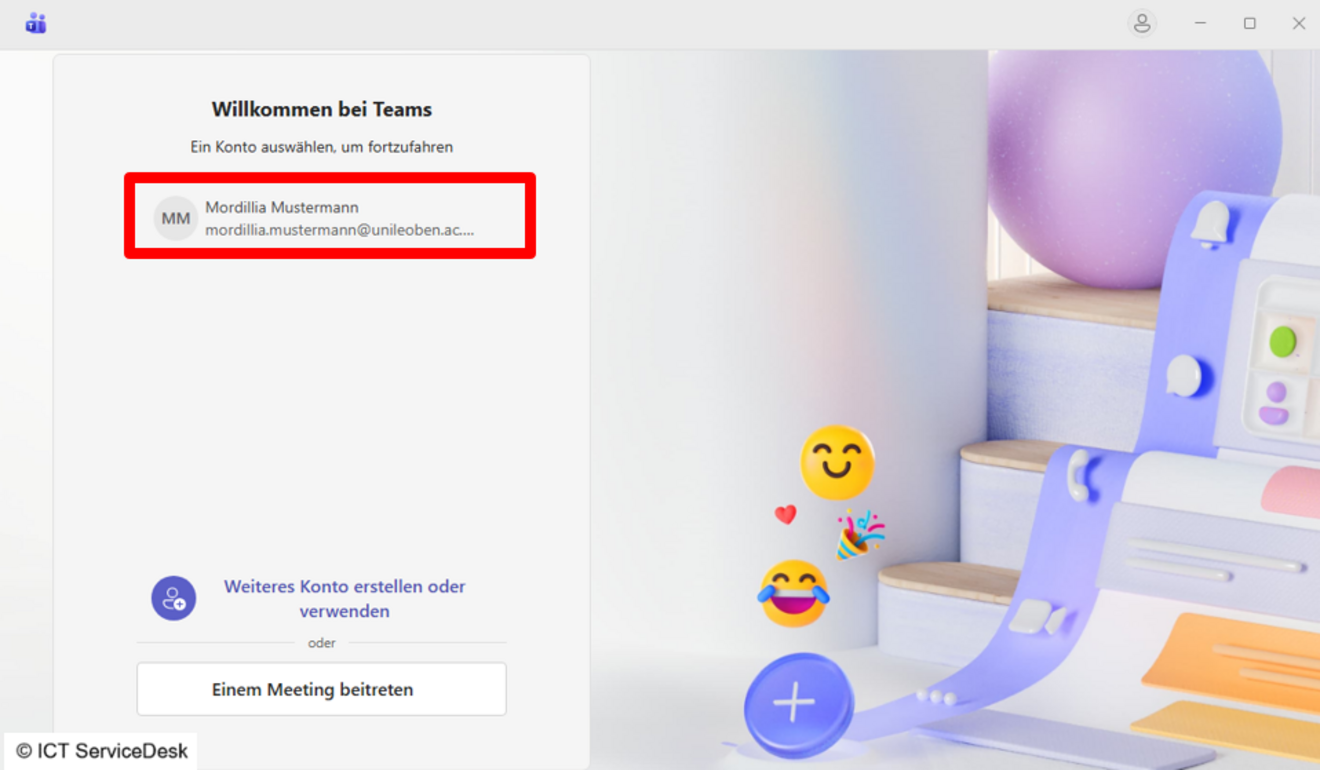
- Launch Microsoft Teams and select the correct account in the sign-in window.
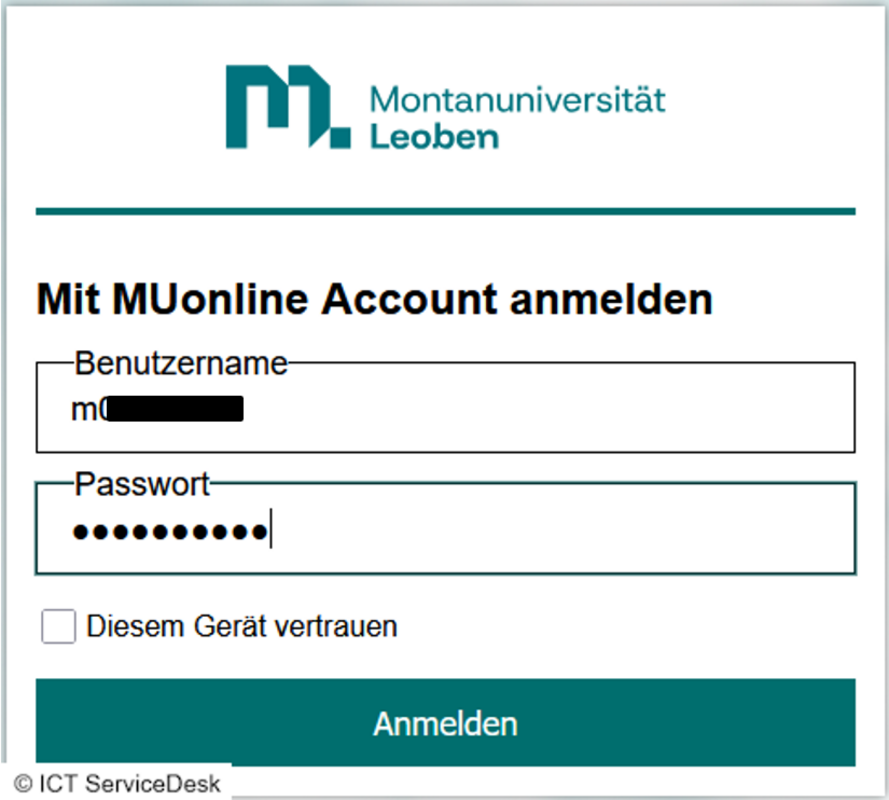
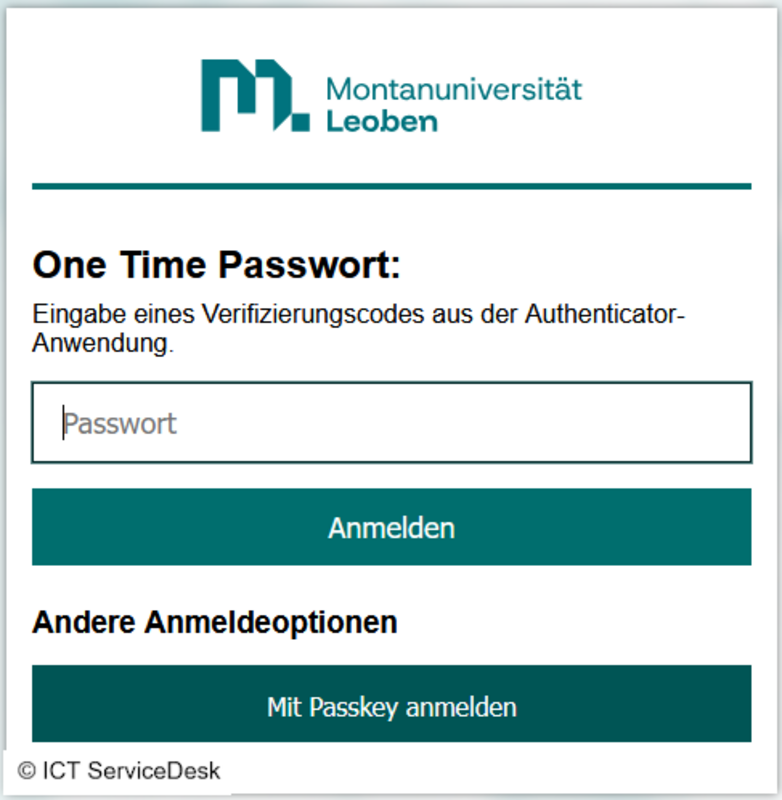
- On this page, log in using your MUonline username (p-number, student ID) and the corresponding password. If you are the only one with access to the current device, you can optionally check the “Trust this device” box. This option saves your login credentials for an extended period, so you don’t have to enter your password and two-factor authentication every time.