We use cookies on our website. Some of them are essential while others help us improve this website and your experience.
Website durchsuchen / Search website
© Prompt by ICT
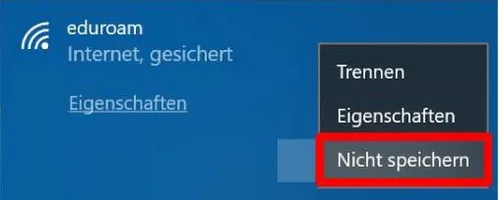
Click the Wi-Fi icon in the taskbar at the bottom right of the screen, right-click the “eduroam” network, and then select “Don’t save” (Figure 1).
* Please note that the display may vary depending on the system version.
v 1.0 © May 2019 Central IT Service