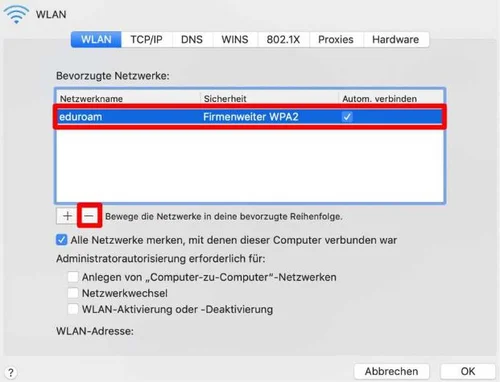
Click the Wi-Fi icon in the menu bar at the top of the screen and select “Open System Preferences > Network”. Then click “Advanced” and select the “eduroam” network in the “Preferred Networks” section. Now click the minus icon to remove the network (Figure 1).
* Please note that the display may vary depending on the system version.
v 1.0 © May 2019 Central IT Service