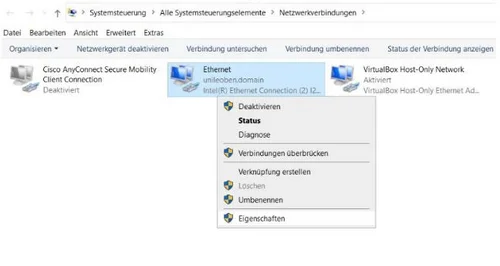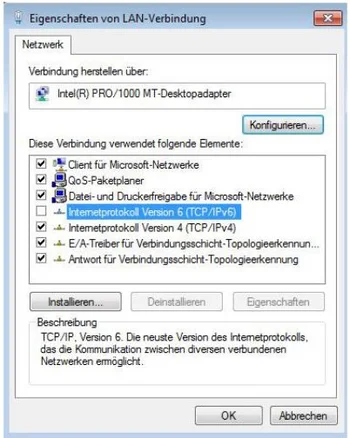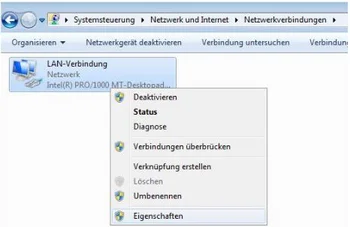
When using the Cisco VPN client, the following phenomena may occur under certain circumstances: When the VPN client is connected, the university's internal websites (e.g. unileoben.ac.at or MUonline) are accessible, but external sites (e.g. orf.at or google.at) are not. This can be remedied by deactivating the Internet Protocol Version 6 (TCP/IPv6) interface.
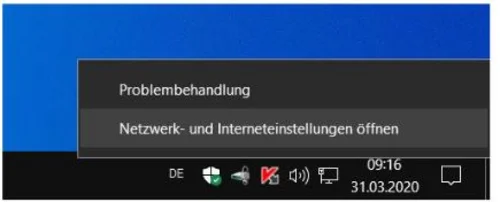
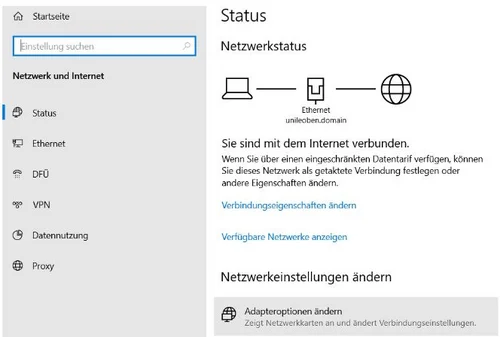
Right-click on your Internet icon on the right-hand side of the taskbar to open the "Network and Internet settings".