About ...
AppsAnywhere is now available on all lecture hall and seminar room PCs as well as in the computer rooms managed by ICT.
AppsAnywhere is a software virtualisation solution that makes it possible to provide the software packages required for teaching. This applies to software from the scientific field, but not to Microsoft Office, media players or similar programs.
Use
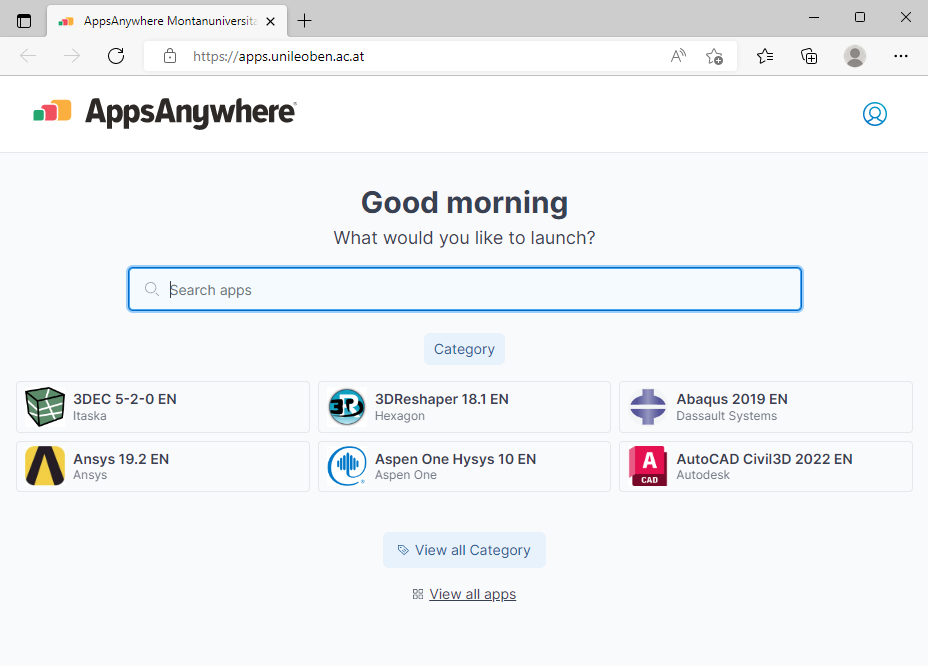
- Double-clicking on the AppsAnywhere shortcut on the desktop opens the app store.
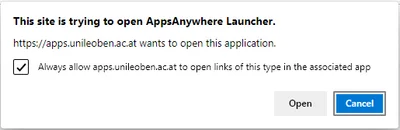
- Select the checkbox in the pop-up window that appears and confirm with ‘Open’ (see image below). You will now be validated. While validation is in progress, the programmes provided cannot be opened!
- Once validation is complete, a green arrow will briefly appear in the lower right-hand corner of the browser the first time you use it, and the app store will be ready for use.
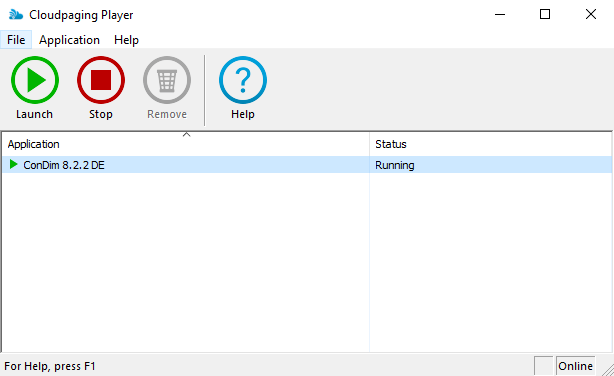
- Now open a programme via the search bar, the ‘Category’ or via ‘View all apps’ and press ‘Launch’. The Cloudpaging Player appears (see image below), which lists the selected programme and then starts it automatically.
- Depending on the application, the start may take some time, so please be patient!
- An application remains in the Cloudpaging Player (even after logging out of the device) until you remove the programme using the ‘Remove’ button.
- If the “Remove” button is greyed out, you must first select the programme and click on ‘Stop’. The programme can now be removed.
- If an application does not start or does not start as desired, you can also remove it and reload it from the store.
- We ask that you remove all programmes from the Cloudpaging Player at the end of your course.
It is generally recommended that you remove programmes that are no longer needed from the Cloudpaging Player and open a maximum of 5 programmes at the same time!