Calendar Sharing

To share a calendar with another person, you must assign the required permissions to that person.

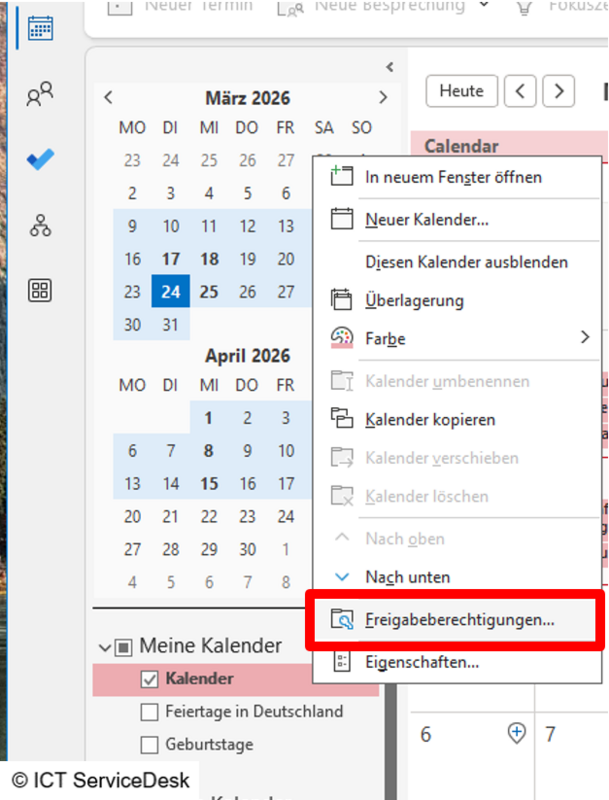
  • To do this, open the calendar in Outlook, right-click on the calendar you want to share, and select Sharing Permissions.
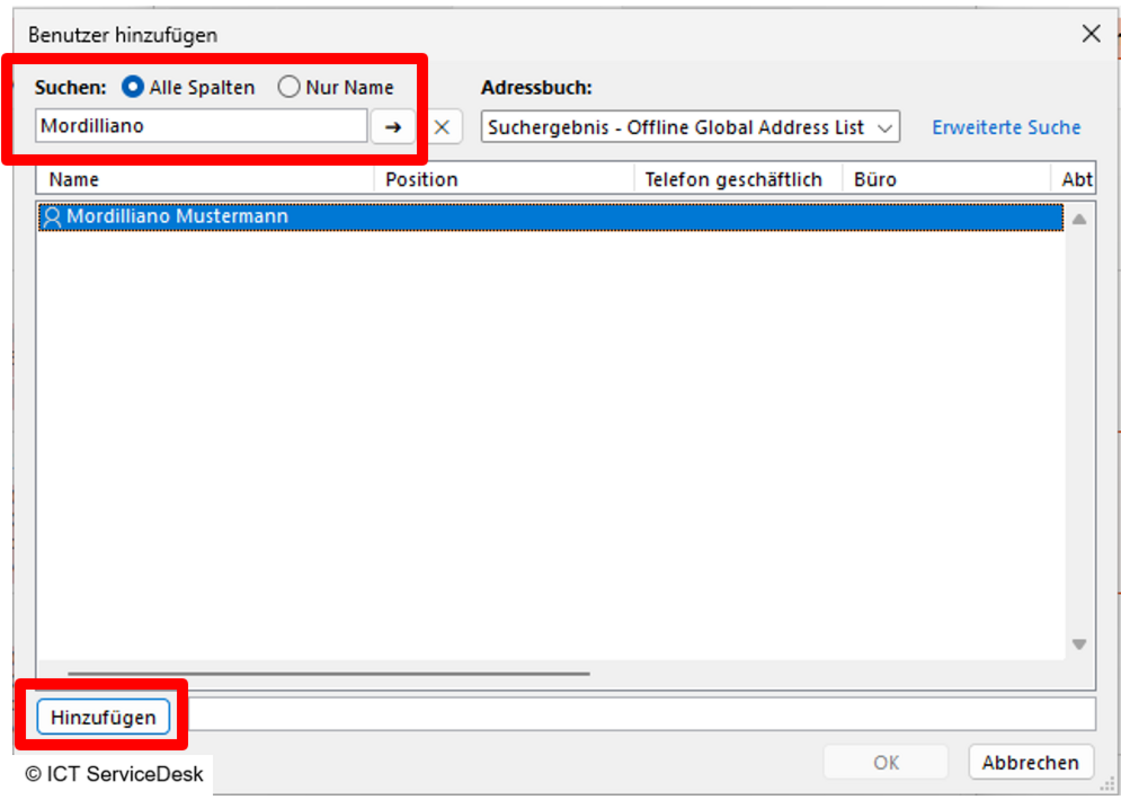
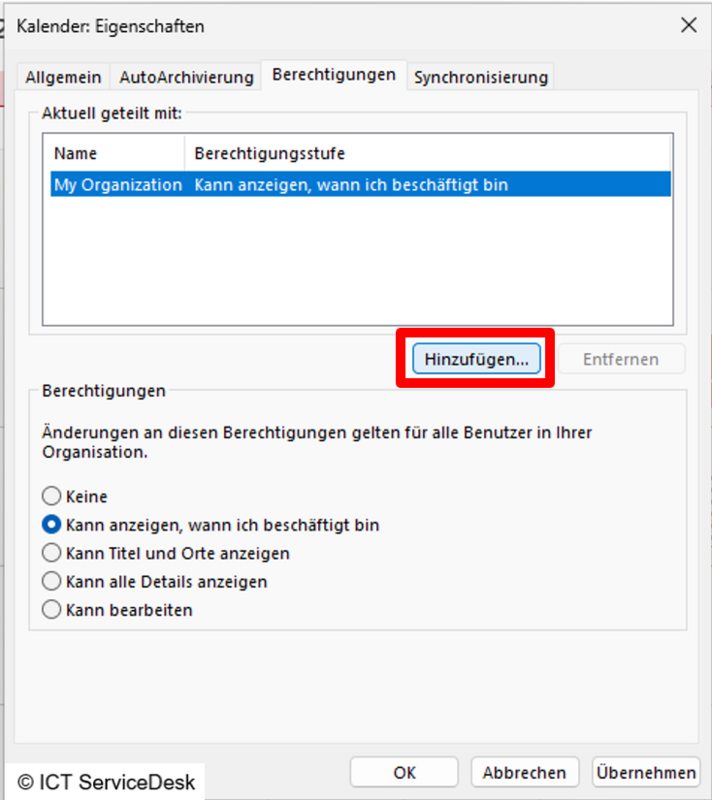
  • The calendar properties window will open, where you can search for the persons you want to share with by clicking Add… .
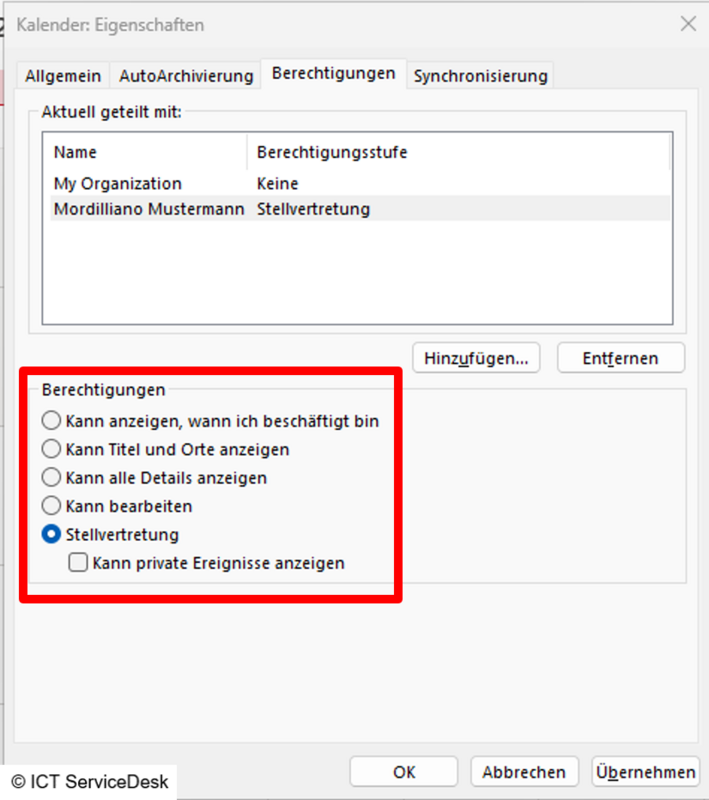
  • Enter the person's name, select them, and confirm by clicking Add.
  • The user will appear in the list, then adjust the permissions and confirm by clicking Apply and OK.
  • The calendar then just needs to be added to the authorized person's view.

Add a Shared Calendar

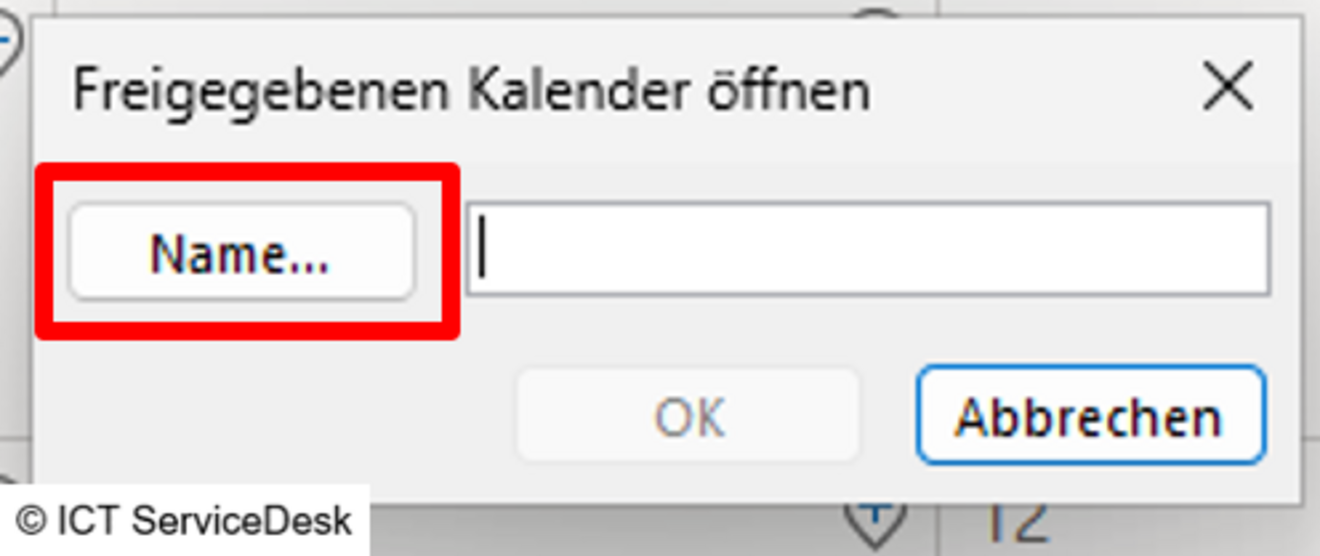
  • Open the calendar in Outlook, right-click on Shared Calendars, select Add Calendar, and then click Open Shared Calendar… .
  • A window will open, click the Name… button.
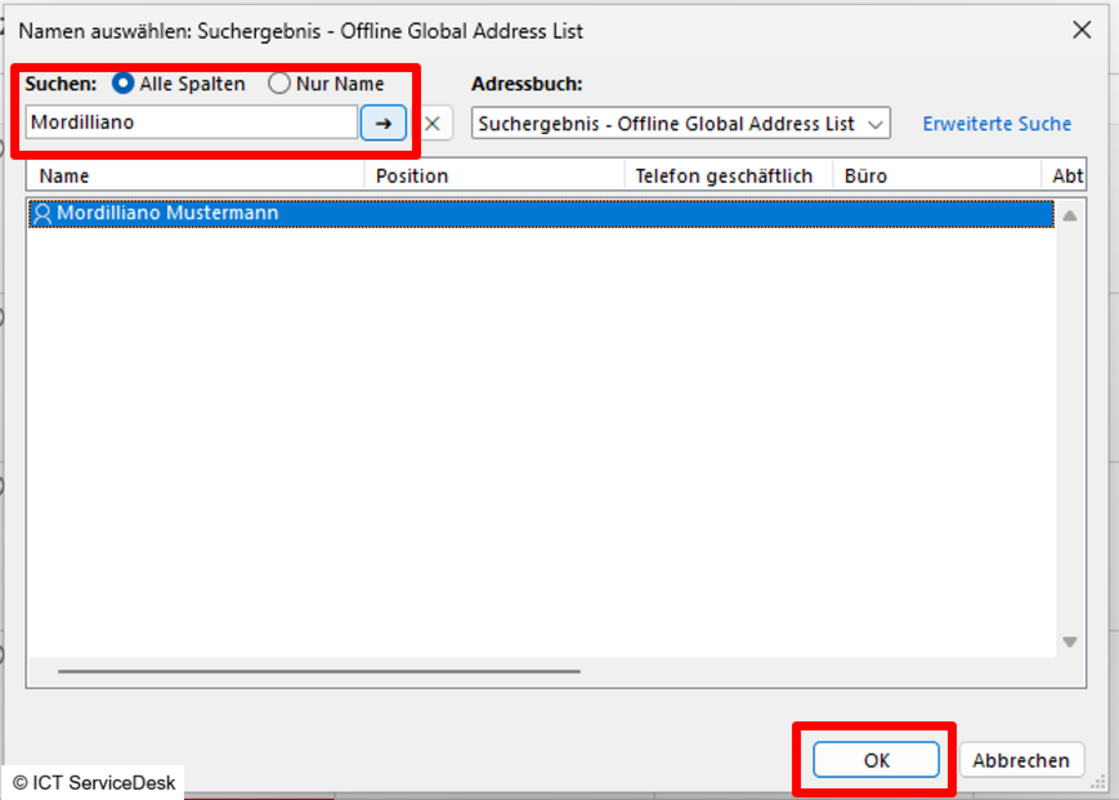
  • Enter the person's name, select it, and click OK.
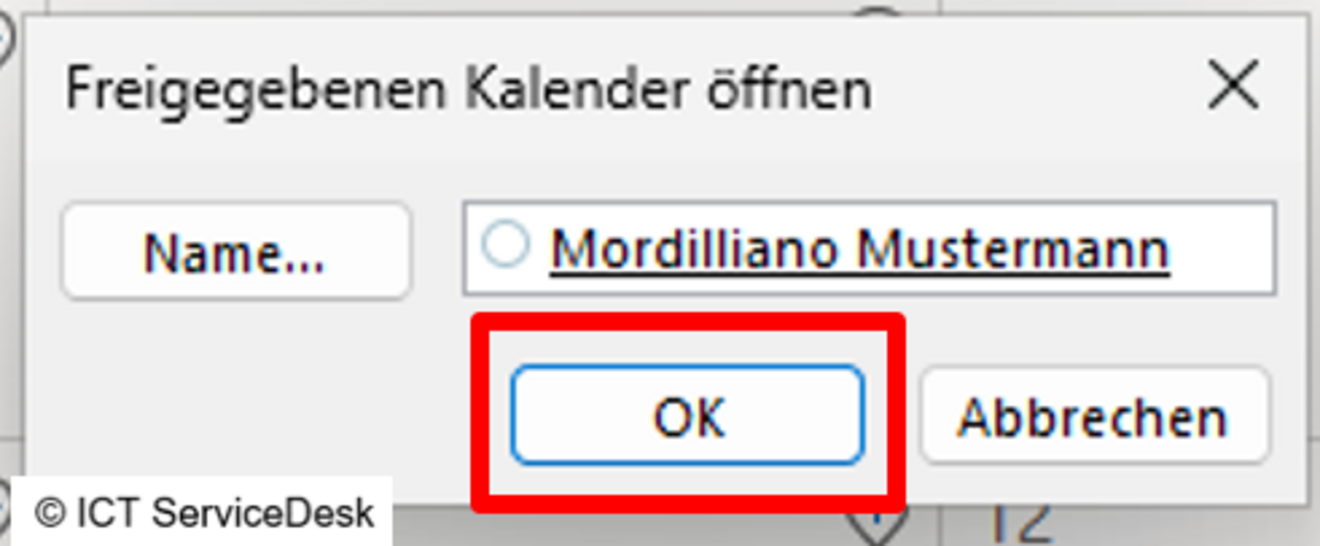
  • Click OK to add the calendar.