Keep calendar invitations as e-mail
Per default e-mails with calendar invitations will be deleted after they are accepted. If you want to keep those e-mails after accepting them you can change this behaviour in the outlook settings.
Outlook (classic)
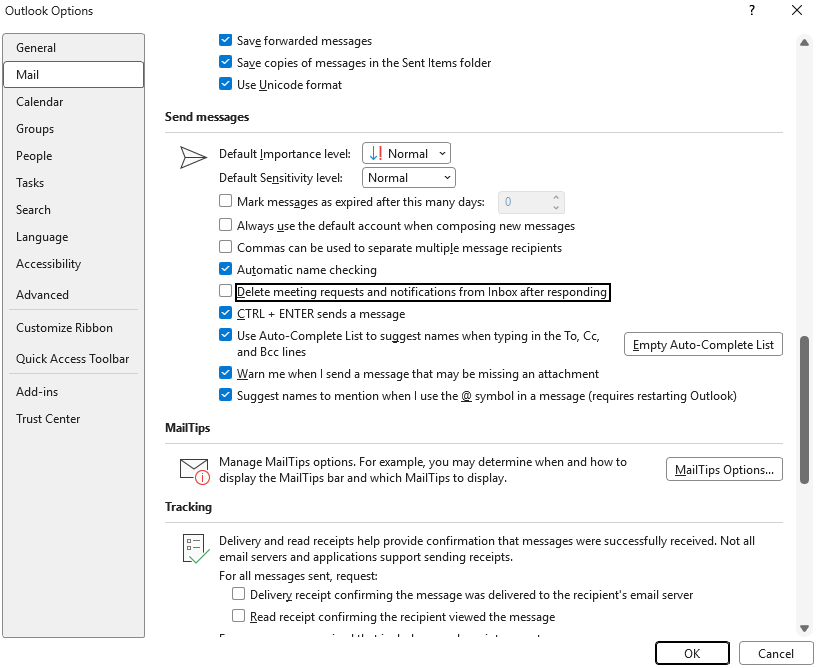
Click in the menubar (top left) on "File" and now at the bottom left on “Options”. Choose in the following window “Mail” and scroll down to the section “Send Messages” (approximately in the middle). Now you can uncheck the toolbox “Delete meeting requests and notifications from Inbox after responding” to keep your E-Mail.
Outlook new
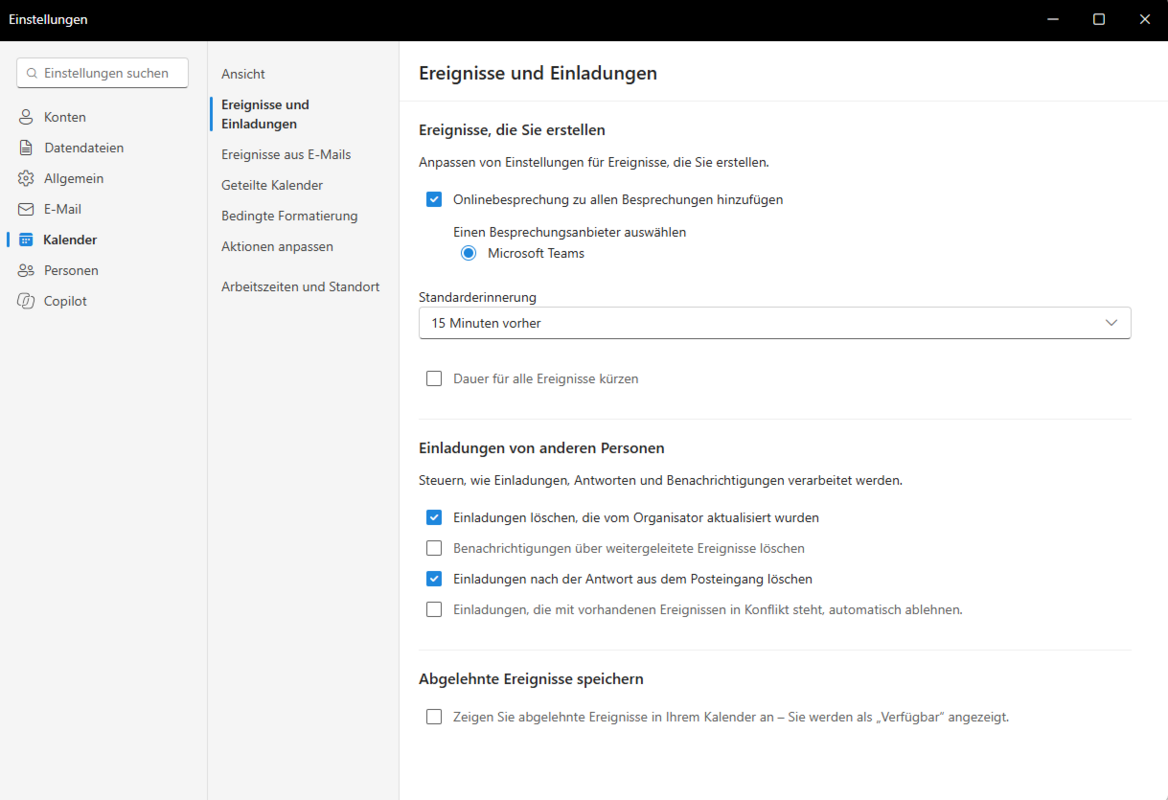
Click in the menubar (top left) on “File” and on “Settings”. Choose "Calendar" in the new window and "events and invitations". Now you can unckeck the two checkboxes under “Invitations from other people” to keep your e-mails.