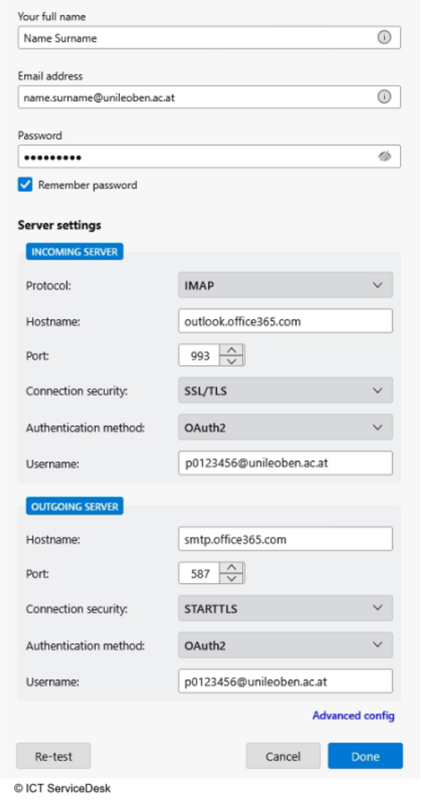
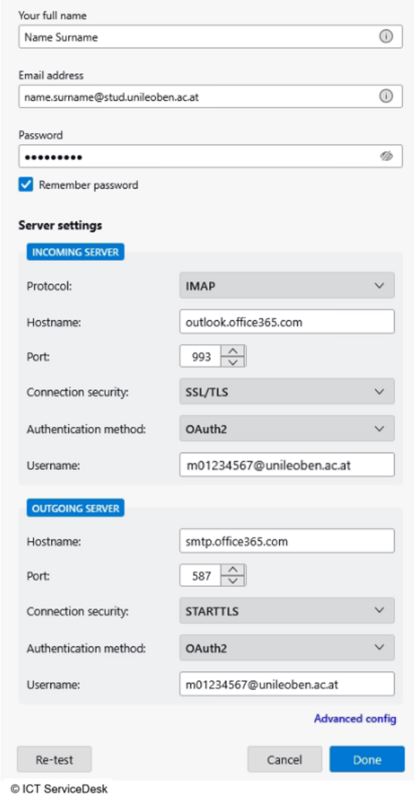
| INBOX: | IMAP |
| INCOMING-SERVER: | outlook.office365.com |
| PORT: | 993 |
| CONNECTION SECURITY: | SSL/TLS |
| AUTHENTIFICATION METHOD: | OAuth2 |
| USERNAME: | [MUonline-username]@unileoben.ac.at (p-number/matrikelnumber@unileoben.ac.at) |
| OUTBOX: | SMTP |
| OUTGOING-SERVER: | smtp.office365.com |
| PORT: | 587 |
| CONNENTION SECURITY: | STARTTLS |
| AUTHENTIFICATION METHOD: | OAuth2 |
| USERNAME: | [MUonline-username]@unileoben.ac.at (p-number/matrikelnumber@unileoben.ac.at) |
For Example the setup in Thunderbird: